Products & apps template
Context menu animation
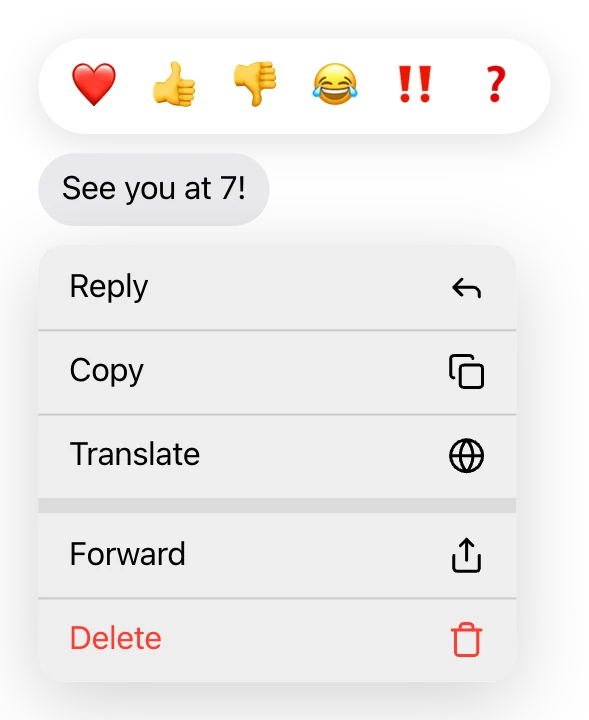
Context menu is a ready-made products & apps animation. Change the content, pick the style and motion, then export a video for TikTok, Reels, Shorts or YouTube.
Put it on a gradient, a color, your own image or a transparent background. The example reads “See you at 7!”, “❤️ 👍 👎 😂 ‼️ ❓”; replace it with your own.
Open in the editor, freeFree · No signup · Runs in your browser
What you can customise
Menu
- Style
- Icons
- Items
Phone extras
- Message preview
- Preview text
- Preview is sent (blue)
- Reaction bar
- Reactions
- First reaction selected
- Align
Style
- Theme
- Text size
- Width
- Highlighted item color
- Background
Your brand
- Your logo (PNG, transparent works best)
- Your name or @handle
- Show badge
- Badge position
- Badge look
- Badge size
- Background photo (card sits on it)
- Background padding
How to make it
- Open the template. It opens in the free editor in your browser, already animated.
- Make it yours. Edit style, icons, items in the Content tab. The preview updates as you type.
- Pick the format. Choose 9:16 for TikTok, Reels and Shorts, or 16:9 for YouTube, and set the background.
- Export. Save an MP4 to post, a transparent MOV for Premiere Pro, Final Cut or DaVinci Resolve, a WebM for CapCut, or a PNG still.
Export formats
- MP4, 720p or 1080p, 30 or 60 fps
- MOV (ProRes 4444) with transparency
- WebM with transparency (CapCut)
- PNG image